As a user with tax residence in Brazil, you can withdraw your funds directly to your bank account in Brazilian Reals (BRL) via the PIX system.
Follow these steps to request a withdrawal:
- Tap the Operations button. This is the blue square you'll find in the bottom horizontal menu (if accessing via the app) or in the top right corner (if accessing via the web).
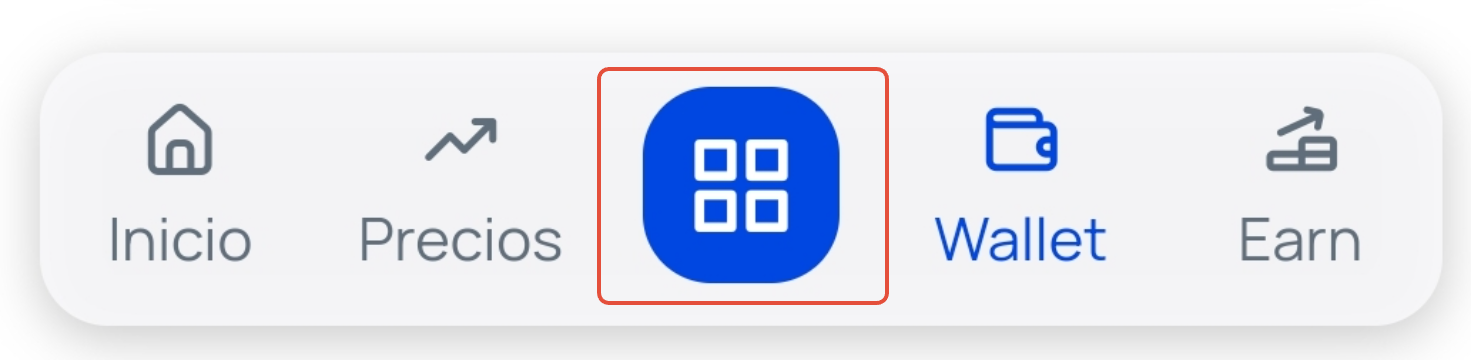
- Select the Bank withdrawal option.
- On the next screen, enter the amount you wish to withdraw and tap the Continue button.
- Next, you'll need to complete the form to make the withdrawal via PIX, providing your bank details, including:
- Bank code
- Bank name
- Branch
- Account number
- CPF/CNPJ code
- Complete the entire form, check the box confirming that you agree and declare to be the holder of the specified bank account, and tap the Withdraw button.
- Enter the verification code from your 2FA app or the SMS code that we will request on screen to securely confirm the operation.
Important: At Bit2Me, traditional currency funds are always held in €. When making a withdrawal, the conversion will be performed according to the exchange rate at the time of the request.
For security and prevention reasons, the destination bank account must be in your name (match the holder of your Bit2Me account).
For security and prevention reasons, the destination bank account must be in your name (match the holder of your Bit2Me account).
If you experience any restrictions or find the option disabled when trying to withdraw your funds, please contact us by creating a ticket.
Was this article helpful?
That’s Great!
Thank you for your feedback
Sorry! We couldn't be helpful
Thank you for your feedback
Feedback sent
We appreciate your effort and will try to fix the article